



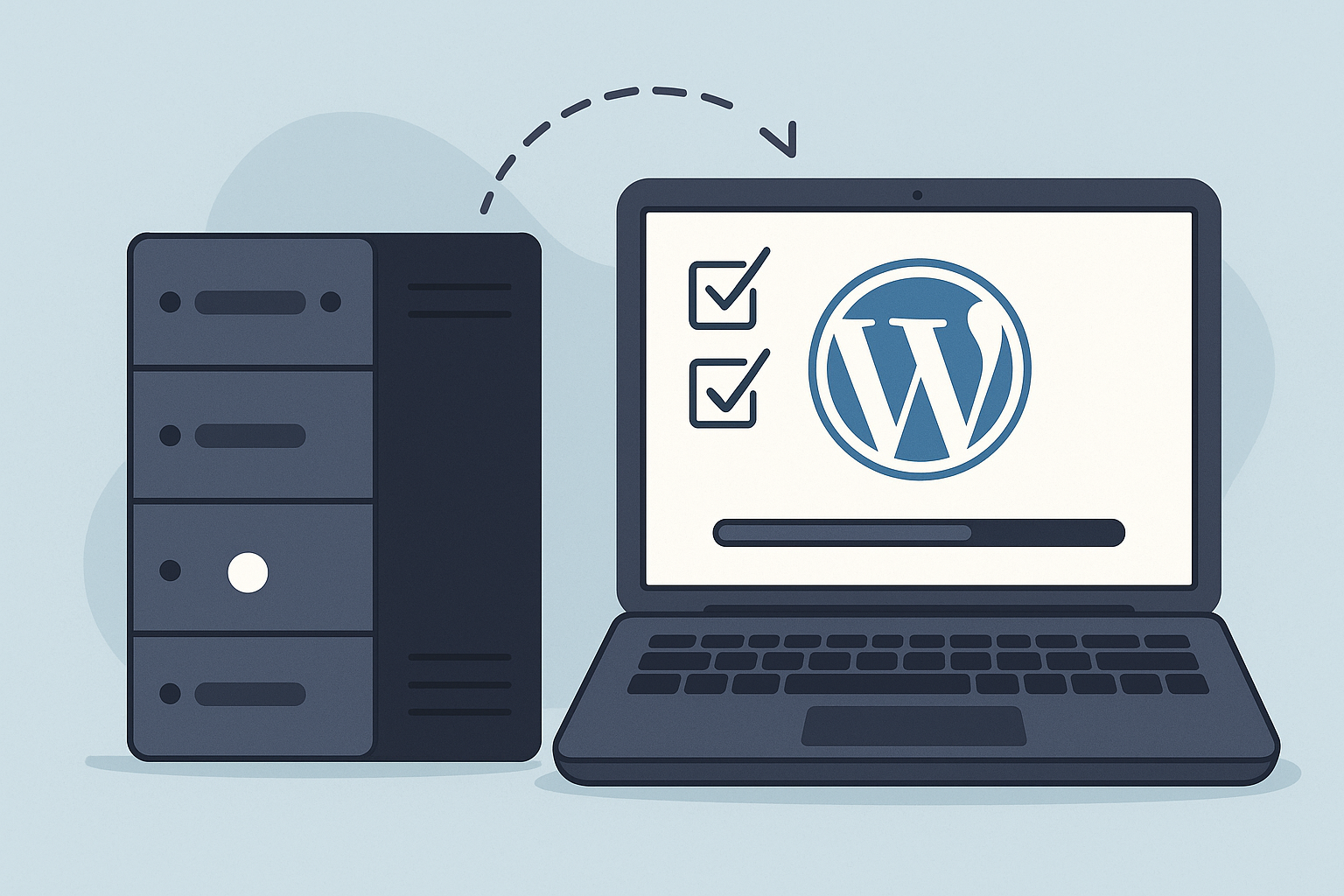
WordPress updates should be tested on a separate testing server before going live by copying the production site, applying core, plugin, theme, and WooCommerce updates there first, checking critical functionality, documenting results, preparing a rollback option, and only then deploying validated changes to the live site.
Why Testing-Server WordPress Updates Matter
Updates are essential for WordPress security, compatibility, and performance, but applying them directly to a production website can introduce avoidable risk. A plugin update may conflict with a theme. A WooCommerce extension may affect checkout. A major WordPress release may change behavior that custom code depends on.
Testing-server WordPress updates create a controlled validation step between “an update is available” and “this change is safe enough to deploy.” Instead of treating updates as a one-click task, a structured process treats them as operational risk management. That distinction is important for business websites, ecommerce stores, agency-managed client sites, and enterprise portals where downtime can affect revenue, trust, and internal workflows.
This is why professional maintenance should go beyond reactive fixes. As explained in WordPress maintenance risk management, ongoing care is most valuable when it prevents technical disruption before it reaches users.
What Is a Testing Server for WordPress Updates?
A WordPress testing server is a private environment used to validate website changes before they are pushed to production. It typically hosts a copy of the live site, including WordPress core, themes, plugins, settings, and representative content. The goal is to reproduce the live environment closely enough to identify update issues before visitors, customers, or internal users are affected.
A testing server is often used together with a staging site. In practical terms, “WordPress staging updates” and “testing-server updates” both describe the same safety principle: test first, deploy second. The more complex the website, the more important it becomes to make the testing environment realistic.
Testing Server vs. Live Site
The live site is the production environment that visitors use. The testing server is where maintenance teams can apply updates, inspect behavior, and troubleshoot without affecting public traffic. If an update creates a fatal error, layout issue, checkout bug, or performance regression on the testing server, the team can resolve it before the same problem reaches production.
Testing Server vs. Local Development
Local development environments are useful for coding and early technical work, but they may not match production hosting, caching, PHP versions, object caching, CDN behavior, or database configuration. A managed testing server is often more suitable for update validation because it can be configured to resemble the production stack more closely.
How to Test WordPress Updates Before Going Live
A reliable WordPress maintenance testing process follows a repeatable sequence. The objective is not only to click “update,” but to confirm that business-critical functions still work after the update has been applied.
- Create or confirm a recent backup: Make sure files and the database can be restored if needed.
- Sync the testing environment: Use a current copy of the production site, with sensitive data handled appropriately.
- Record the baseline: Note current versions, visible issues, performance indicators, and key workflows before updating.
- Apply updates in the right order: Update WordPress core, plugins, themes, and WooCommerce components according to site risk and compatibility needs.
- Check for technical errors: Review fatal errors, PHP warnings, JavaScript console errors, broken admin screens, and server logs where available.
- Test critical user journeys: Confirm navigation, forms, search, login, account pages, checkout, downloads, bookings, or other key actions.
- Review visual presentation: Inspect headers, menus, templates, mobile layouts, widgets, and important landing pages.
- Validate performance impact: Compare load behavior and watch for new slowdowns caused by plugin or theme changes.
- Prepare deployment and rollback: Decide whether changes are ready for production and confirm the recovery path if an issue appears.
- Deploy and monitor: Push validated updates live, then monitor uptime, errors, performance, and user-facing behavior.
For a deeper walkthrough of staging validation, see this guide on how to test WordPress updates before they affect the live website.
What Problems Can Update Testing Catch?
Testing does not eliminate every possible problem, but it can reveal many of the most common update-related failures before they become customer-facing incidents. This is especially important when a website depends on multiple commercial plugins, page builders, custom theme code, membership tools, multilingual plugins, or ecommerce extensions.
Plugin Conflicts
Plugin conflicts are one of the most common reasons WordPress updates cause disruption. A new version may change a function, load a script differently, or conflict with another plugin that depends on older behavior. Testing plugin updates before the live site is updated helps detect these conflicts in a safer environment.
Theme and Layout Breakage
Theme updates can affect templates, CSS, JavaScript, custom fields, and page builder elements. A page may still load but display incorrectly, especially on mobile devices. Testing should include visual checks for priority pages, not just a quick visit to the homepage.
WooCommerce Checkout Issues
WooCommerce maintenance requires extra care because update issues can directly affect sales. Testing should include product pages, cart behavior, checkout steps, payment methods, shipping calculations, tax display, coupon logic, transactional emails, and customer account pages.
Performance Regressions
An update may improve security or compatibility while also adding heavier scripts, database queries, or admin overhead. Testing gives the maintenance team a chance to compare performance before and after changes. The goal is technical improvement and risk reduction, not a promise that every update will make a site faster.
When combined with ongoing optimization, update validation can support better site health over time. HorizonWP explains this broader relationship between maintenance, security, and speed in its article on WordPress security and speed.
Why Direct-to-Live Updates Are Risky
Updating directly on the live site may seem faster, but it compresses testing, troubleshooting, and deployment into the same moment visitors are using the website. If something breaks, the problem is immediately public. For a simple brochure site, the risk may be manageable in some cases. For a revenue-generating or mission-critical site, the potential impact is much higher.
- A contact form can stop submitting leads.
- A booking tool can fail during checkout.
- A membership portal can block user login.
- A WooCommerce payment method can disappear.
- A page builder update can distort important landing pages.
- A theme conflict can create mobile usability issues.
- A fatal error can take the whole site offline.
Safe WordPress updates are not just about avoiding a white screen. They are about preserving the functions that the business relies on: lead generation, ecommerce revenue, content publishing, customer support, analytics accuracy, and brand credibility.
A Professional WordPress Maintenance Testing Process
A professional process makes update testing predictable. Instead of relying on memory or assumptions, the maintenance team follows a repeatable workflow with checkpoints, documentation, escalation paths, and post-deployment review.
1. Backup and Recovery Readiness
Before updates are tested or deployed, a current backup should be available. For business sites, this usually means both database and file backups, stored separately from the live installation when possible. The team should know how restoration works before there is an urgent need to use it.
2. Environment Preparation
The testing server should be refreshed with a current production copy. Search engines should be blocked from indexing the test environment, outgoing emails should be controlled, and payment gateways should be placed in test mode where practical. Sensitive customer data should be handled carefully, especially on ecommerce and membership sites.
3. Update Sequencing
Not every update should be applied blindly as a batch. A careful sequence can make troubleshooting easier. For example, high-risk updates such as WooCommerce, payment plugins, page builders, security plugins, and major core releases may need more attention than minor plugin patches.
4. Functional Testing
Functional testing confirms that the site still does what it is supposed to do. The checklist should reflect the website’s actual purpose. A law firm site may focus on forms and landing pages. A publisher may focus on templates and ad placements. A WooCommerce store may focus on cart, checkout, payment, fulfillment, and order emails.
5. Issue Triage and Resolution
If a problem appears during testing, the team should identify whether it is caused by a plugin, theme, custom code, server setting, caching layer, or third-party integration. The update may be postponed, patched, replaced, escalated to a developer, or deployed with a known limitation if the business approves the risk.
6. Production Deployment
Once the updates pass testing, the production deployment should happen during an appropriate maintenance window for the business. The team should confirm backups, apply the validated updates, clear caches when needed, and repeat a focused set of live checks.
7. Monitoring and Reporting
Post-deployment monitoring helps detect issues that only appear under real traffic, live payment processing, CDN behavior, or third-party service conditions. Monthly reporting also gives website owners visibility into what was updated, what was checked, and whether any recommendations remain open.
What HorizonWP Validates Before Updates Go Live
HorizonWP’s maintenance approach uses testing-server validation before production updates as part of a broader WordPress care process. The goal is to reduce avoidable downtime, improve technical reliability, and give site owners clearer visibility into what changed.
- WordPress core, theme, and plugin update compatibility
- WooCommerce and revenue-critical workflows when applicable
- Visible layout and front-end behavior on priority pages
- Forms, login, navigation, and other conversion paths
- Security monitoring signals and suspicious changes
- Performance indicators and avoidable slowdowns
- Backup availability before production deployment
- Post-update uptime and site availability
This validation process is part of HorizonWP’s structured WordPress maintenance service, which combines updates, daily backups, security monitoring, performance optimization, technical support, and monthly reporting.
Special Considerations for WooCommerce Updates
WooCommerce updates deserve a more cautious workflow because even a small conflict can affect orders. Stores often depend on payment gateways, subscriptions, shipping integrations, inventory tools, tax services, email platforms, abandoned cart plugins, analytics scripts, and fulfillment systems. Each dependency increases the importance of testing before deployment.
A WooCommerce testing checklist should include adding products to the cart, changing quantities, applying coupons, calculating shipping, entering tax-relevant addresses, placing test orders, checking payment gateway behavior, confirming order emails, and reviewing order status updates. If subscriptions, memberships, bookings, or digital downloads are involved, those flows should be tested separately.
For high-volume stores, timing also matters. Production deployment may need to be scheduled outside peak sales periods, coordinated with marketing campaigns, and followed by closer monitoring. Testing reduces risk, but live transaction behavior should still be reviewed after updates go into production.
Enterprise and Agency Use Cases
Testing-server WordPress updates are especially valuable when multiple stakeholders depend on the same site. Agencies need reliable maintenance processes to protect client relationships. IT teams need documentation, accountability, and predictable change management. Enterprise teams need update workflows that respect security, uptime, compliance, and operational continuity.
For larger sites and portals, testing may need to include custom post types, access permissions, multilingual content, editorial workflows, API integrations, single sign-on, advanced caching, search functionality, and traffic-sensitive deployment planning. These requirements are covered in more depth in HorizonWP’s guide to enterprise WordPress maintenance.
What Testing Cannot Guarantee
A testing server is a strong risk-reduction tool, but it is not a guarantee that every issue will be found. Live environments can behave differently because of real customer traffic, payment processor responses, CDN caching, server load, security rules, API rate limits, email deliverability, or data changes that happen after the staging copy was created.
That is why safe WordPress updates require more than staging. They also require backups, monitoring, security awareness, support access, incident response planning, and clear communication. The most reliable maintenance programs combine pre-deployment testing with post-deployment observation.
How to Decide Whether Your Site Needs Testing-Server Updates
Most business websites benefit from update testing, but the level of testing should match the risk of the site. The more revenue, traffic, integrations, or operational dependency your website carries, the more important structured validation becomes.
- Basic business site: Test forms, layouts, analytics scripts, security plugin behavior, and priority landing pages.
- Lead generation site: Test forms, CRM integrations, conversion tracking, thank-you pages, and campaign landing pages.
- WooCommerce store: Test cart, checkout, payments, shipping, taxes, coupons, order emails, account pages, and integrations.
- Membership or portal site: Test login, permissions, account dashboards, protected content, renewal flows, and notifications.
- Agency-managed portfolio: Use a standardized update checklist, client reporting, escalation rules, and documentation.
- Enterprise WordPress site: Add change windows, stakeholder approvals, role-based testing, integration checks, and post-deployment monitoring.
Signs Your Current Update Process Is Too Risky
If updates are handled informally, the website may be accumulating operational risk even when everything appears normal. Problems often surface only after a critical plugin, theme, or WordPress core change causes a visible failure.
- Updates are applied directly on the live site without a backup check.
- No one reviews the site after updates are completed.
- WooCommerce checkout is not tested after plugin changes.
- There is no record of what was updated or when.
- The team does not know how to restore the site quickly.
- Performance is not reviewed after major plugin or theme changes.
- Security alerts are handled only after visitors report a problem.
- Agencies are managing client updates without a documented workflow.
If several of these apply, a structured maintenance plan can reduce uncertainty and make updates more predictable. The right plan should reflect your site’s business impact, technical complexity, and support expectations.
Choosing a Maintenance Partner for Safer Updates
When evaluating a WordPress maintenance provider, ask how updates are tested, how often backups run, what happens when an update fails validation, how security monitoring is handled, what response channels are available, and what reporting you receive. A provider should be able to explain the process clearly without promising absolute security or risk-free outcomes.
HorizonWP supports website owners, WooCommerce stores, agencies, IT departments, and enterprise teams with maintenance plans built around testing-server validation, daily backups, proactive security monitoring, speed optimization, technical support, and monthly reporting. To compare options, review the available WordPress maintenance plans or contact HorizonWP at info@horizonwp.io or +351 910 733 938 for guidance.
The Bottom Line
Testing-server WordPress updates reduce risk by separating validation from production deployment. Instead of discovering plugin conflicts, layout issues, checkout problems, or performance regressions on the live site, your team can identify and resolve many issues in a controlled environment first.
For business-critical WordPress and WooCommerce sites, this process is a practical safeguard for uptime, continuity, security hygiene, and user trust. It works best as part of a complete maintenance program that includes backups, monitoring, support, reporting, and a clear response plan when something needs attention.
Frequently asked questions
How should WordPress updates be tested before going live?
WordPress updates should be tested on a separate testing server or staging environment that mirrors the live site. The process should include a fresh backup, core, plugin, and theme updates, conflict checks, key page testing, form and checkout testing, performance review, security scanning, and a rollback plan before changes are deployed to production.
What are testing server WordPress updates?
Testing server WordPress updates are updates applied first in a non-public environment before being deployed to the live website. This allows teams to identify compatibility issues, visual problems, broken functionality, or performance changes without exposing visitors or customers to avoidable disruption.
Is a testing server the same as WordPress staging?
They are closely related. A staging site is a copy of the live site used for testing, while a testing server is the infrastructure where that copy runs. In practice, many teams use the terms together when describing safe WordPress updates before production deployment.
Can testing prevent every WordPress update issue?
No. Testing can significantly reduce update risk, but it cannot guarantee that every issue will be prevented. Differences in live traffic, payment gateways, third-party APIs, caching layers, or hosting conditions can still create edge cases, which is why monitoring, backups, and support are important.
Why is update testing especially important for WooCommerce sites?
WooCommerce sites depend on checkout flows, payment gateways, shipping rules, tax settings, customer accounts, inventory logic, and email notifications. Testing updates before deployment helps confirm that revenue-critical functions still work before customers interact with the updated site.