



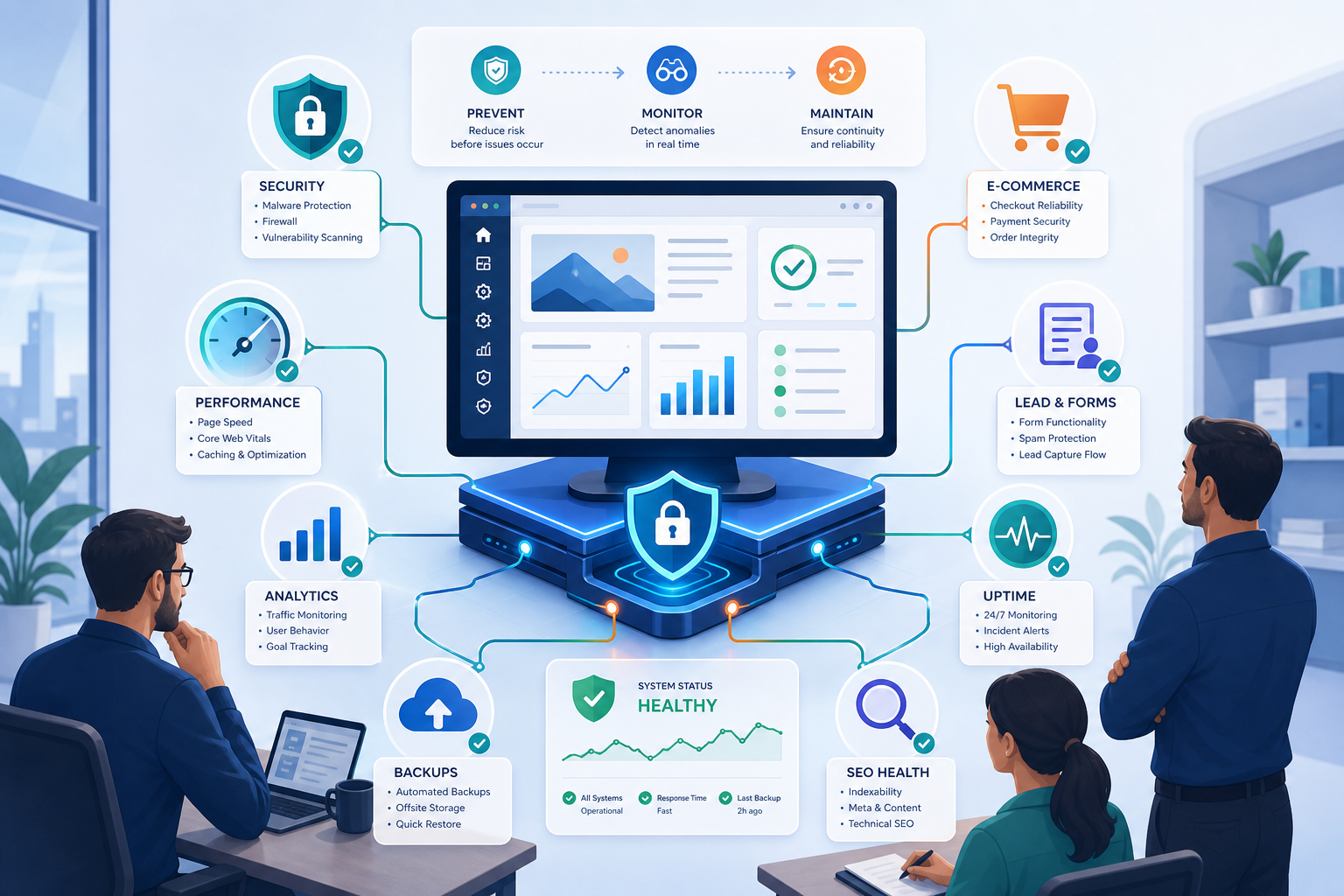
WordPress Maintenance Is Risk Management, Not Just Technical Support
WordPress maintenance is often treated as a technical task: update plugins, check backups, fix small issues and move on. For business-critical websites, that view is too narrow. Maintenance is really a risk management process that protects revenue, leads, security, performance, search visibility and operational continuity.
A website that generates enquiries, sales or client trust is not just a marketing asset. It is part of the business infrastructure. When it becomes slow, insecure or unreliable, the impact is not limited to the development team.
Why basic technical support is not enough
Technical support usually reacts to problems after they appear. Maintenance should reduce the chance of those problems happening in the first place. That difference matters because WordPress issues can affect several parts of the business at once: conversion, SEO, advertising performance, customer experience and internal workflows.
| Support mindset | Risk management mindset |
|---|---|
| Fixes issues after they appear | Prevents issues before they affect users |
| Focuses on tasks | Focuses on business impact |
| Updates plugins | Tests updates and monitors consequences |
| Checks if the site is online | Checks uptime, performance, security and conversion paths |
| Works case by case | Uses a documented maintenance process |
What risks does WordPress maintenance reduce?
A strong maintenance process reduces multiple categories of risk. Some are technical, but many are commercial.
Security risk
Outdated plugins, weak login protection, abandoned themes and poor access control can increase exposure to malware, spam injections and unauthorized changes. Maintenance should include security checks, updates, monitoring and escalation rules.
Revenue risk
For WooCommerce sites, even a small checkout issue can stop orders. Maintenance should validate product pages, cart, checkout, payments, shipping rules, transactional emails and critical integrations.
Lead generation risk
If a contact form, booking flow or tracking script stops working, the site may look fine while silently losing opportunities. Maintenance should test forms, confirmation messages, email routing and analytics events.
Performance risk
New scripts, heavy images, plugin changes and poor caching can slow down key pages. Maintenance should review speed, Core Web Vitals signals, caching and template weight after meaningful changes.
SEO risk
Broken internal links, changed URLs, duplicate staging pages, missing metadata or template errors can affect search visibility. Maintenance should include periodic SEO hygiene checks for technical issues.
What should a risk-based maintenance plan include?
A risk-based maintenance plan should define what is monitored, how often it is reviewed, what happens when something fails and which parts of the site are business-critical.
- Regular WordPress, plugin and theme update process.
- Backups with clear restore expectations.
- Staging tests for higher-risk changes.
- Uptime monitoring and alert routing.
- Security review and malware response process.
- Performance checks on key templates.
- WooCommerce checkout validation when relevant.
- Form and lead flow testing.
- Monthly maintenance reporting.
- List of known risks, exclusions and recommended improvements.
How to prioritize maintenance work
Not every task has the same urgency. Prioritize based on business impact and probability of failure.
| Priority | Examples | Action |
|---|---|---|
| Critical | Checkout, forms, security, uptime | Monitor and test regularly |
| High | Core templates, speed, backups, SEO structure | Review on each maintenance cycle |
| Medium | Non-critical plugins, minor UI issues | Batch into planned maintenance |
| Low | Cosmetic improvements, nice-to-have tweaks | Schedule separately |
When should a business upgrade from basic support to managed maintenance?
Upgrade when the website becomes important enough that downtime, broken forms, slow pages or security issues would create real business consequences. This usually applies to WooCommerce stores, lead generation websites, multilingual sites, membership platforms and agency-managed client websites.
Need a clearer maintenance risk picture?
If your WordPress site has become difficult to update, slow to manage or risky to change, a technical maintenance review can help identify where the real exposure sits: plugin stack, hosting, backups, staging, checkout, forms, security or performance.
Get in touch to review the maintenance risks behind your WordPress website.
FAQ
Is WordPress maintenance only about updates?
No. Updates are important, but maintenance should also cover backups, security, uptime, performance, forms, checkout flows, technical SEO and reporting.
Why is WordPress maintenance a business risk issue?
Because website failures can affect revenue, leads, customer trust, advertising performance, search visibility and internal workflows, not just technical operations.
Do small WordPress sites need risk-based maintenance?
Small sites may need a lighter process, but any site that generates leads or supports a business should have backups, updates, security checks and basic monitoring.
How often should maintenance risks be reviewed?
Review critical risks on every maintenance cycle and reassess the full setup whenever the site changes significantly, adds ecommerce, changes hosting or installs major plugins.
Conclusion
WordPress maintenance should not be treated as a checklist of isolated technical tasks. For business websites, it is a risk management system. The goal is to keep the site secure, stable, fast and commercially reliable before problems reach users.