


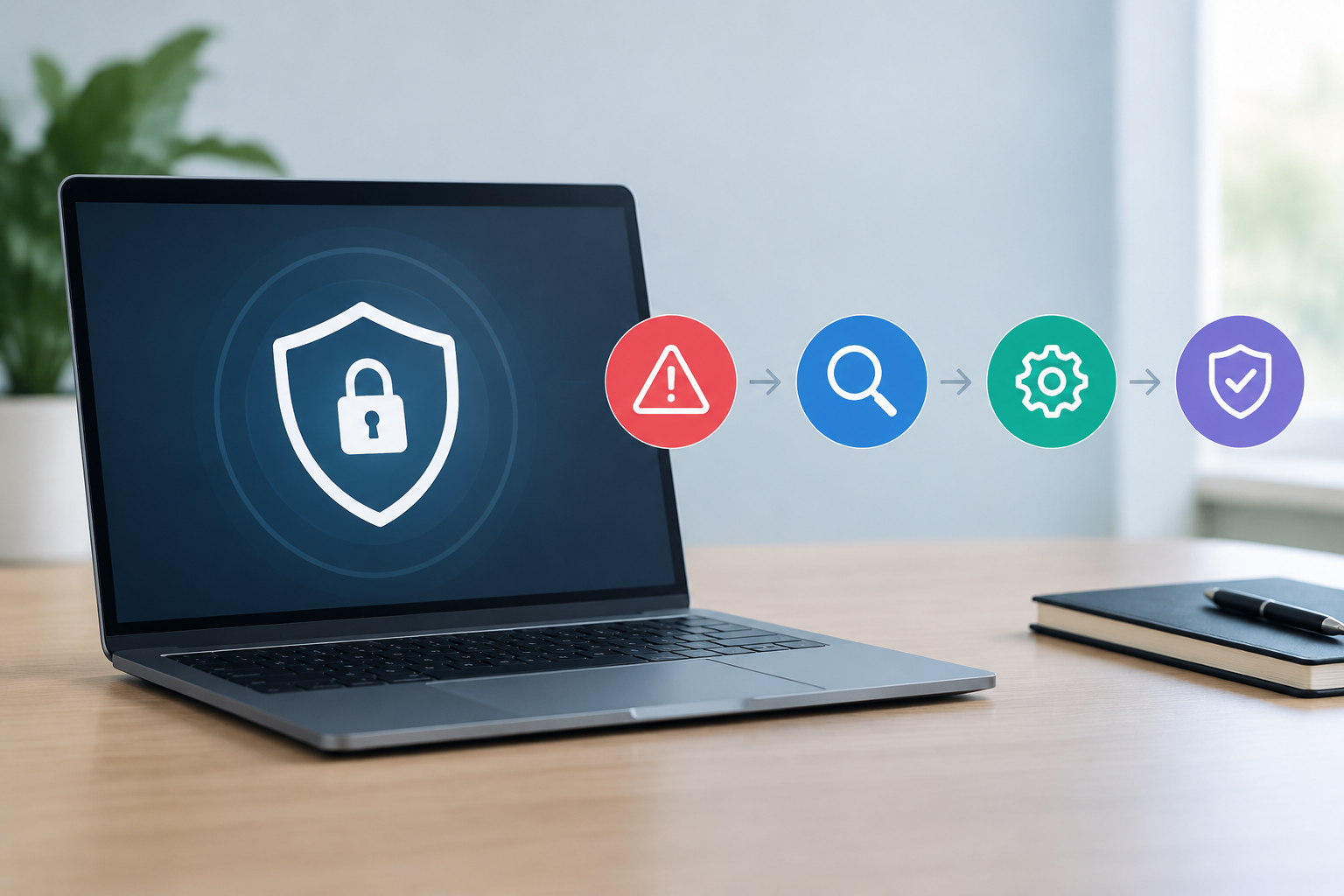
The WordPress security incident response process has six core phases: triage and evidence preservation, investigation, containment, remediation, recovery and validation, and post-incident reporting. The goal is not simply to delete visible malware. It is to stop ongoing harm, identify the likely entry point, restore trustworthy operation, and reduce the chance of recurrence.
What counts as a WordPress security incident?
A security incident is any event that may compromise a WordPress site’s confidentiality, integrity, or availability. Clear signs include malicious redirects, unauthorized administrator accounts, defaced pages, unexpected file changes, spam content, payment-page tampering, or a site distributing malware. Less obvious indicators can include unexplained traffic spikes, altered scheduled tasks, outbound email abuse, repeated login attempts, or security alerts from hosting and monitoring systems.
Not every alert confirms a breach. A disciplined response distinguishes a false positive, a blocked attempt, and a confirmed compromise. Continuous WordPress security monitoring can provide the logs and change history needed to make that distinction more quickly.
The WordPress security incident response process at a glance
| Phase | Primary objective | Typical outputs |
|---|---|---|
| 1. Triage and preservation | Confirm urgency and protect evidence | Incident record, timeline, preserved logs and backups |
| 2. Investigation | Determine scope, impact, and likely entry point | Affected assets, indicators of compromise, working cause |
| 3. Containment | Stop malicious activity and limit spread | Restricted access, blocked indicators, isolated systems |
| 4. Remediation | Remove malicious changes and close weaknesses | Clean files and database, patched components, reset credentials |
| 5. Recovery and validation | Return the site to controlled operation | Tested restoration, verified functions, heightened monitoring |
| 6. Reporting and improvement | Document decisions and prevent recurrence | Incident report, risk actions, updated response procedures |
These phases are sequential in principle, but real incidents rarely progress in a perfectly straight line. New findings may send responders back to containment or investigation. Business owners and IT managers should expect controlled iteration rather than an immediate declaration that the site is clean.
1. Triage the incident and preserve evidence
Triage establishes what is happening, how urgent it is, and who has authority to act. The response team records when symptoms first appeared, how the issue was discovered, which systems may be affected, and whether malicious activity is still underway. Business impact matters too: an altered brochure page is different from suspected payment-page tampering or unauthorized access to customer information.
Preserve first, clean second
Deleting suspicious files immediately can erase timestamps, payloads, access records, and other clues. When feasible, responders should preserve relevant logs, capture the current state, and create a protected forensic copy before making destructive changes. This evidence may help identify persistence mechanisms, affected accounts, and the probable initial access path.
- Record the date, time, symptoms, alerts, and person who discovered the issue.
- Preserve web server, application, firewall, CDN, authentication, and hosting logs where available.
- Capture a file and database snapshot, then store it separately from routine backup rotation.
- Document recent deployments, plugin changes, user additions, and administrative activity.
- Assign an incident owner and a business contact authorized to approve disruption or restoration decisions.
Evidence handling should match the incident’s seriousness. If regulated data, payment information, employee data, litigation, or law enforcement may be involved, the organization should consult qualified legal, privacy, and forensic professionals before altering systems. This guide describes operational response, not legal advice.
2. Investigate the scope and likely cause
Investigation asks four practical questions: What changed? How did it happen? What was affected? Is the attacker still present? Responders compare current files, database content, users, configuration, and scheduled tasks against known-good states. They also correlate logs with discovered indicators rather than assuming the first suspicious file caused the incident.
- WordPress core, theme, plugin, and must-use plugin files
- Uploads and other writable directories where executable code may be hidden
- Database options, posts, users, injected scripts, and unfamiliar administrator accounts
- Configuration files, environment variables, server rules, and PHP settings
- Cron jobs, scheduled tasks, webhooks, API keys, and third-party integrations
- Hosting, SFTP, SSH, database, email, DNS, CDN, and source-control accounts
- Other websites or applications sharing the same server, credentials, or deployment pipeline
The initial entry point might be a vulnerable component, stolen password, compromised administrator device, exposed hosting account, unsafe deployment process, or another site on shared infrastructure. Responsible responders label conclusions according to evidence. If the root cause cannot be proven, the report should say so and describe the most likely scenario without presenting speculation as fact.
Why the visible symptom may not show the full scope
A redirect can be stored in a database entry, injected JavaScript, a compromised plugin, a server configuration rule, or an external tag manager. Likewise, removing one rogue administrator does not prove that credentials, sessions, API keys, or hosting access remain safe. A compromised website response process must examine the whole access chain.
3. Contain the threat without causing unnecessary damage
Containment limits attacker access and prevents further harm while preserving enough information to continue the investigation. The right action depends on the threat and the site’s business role. Options range from blocking an IP address or disabling one account to placing the site in maintenance mode, restricting administrative access, or isolating the environment.
- Revoke suspicious sessions and disable confirmed unauthorized accounts.
- Restrict administrator, hosting, SFTP, SSH, and database access to approved sources.
- Block validated malicious indicators at the firewall, CDN, or server layer.
- Disable an exploited component or vulnerable function when this can be done safely.
- Pause risky integrations, outbound email, or payment functions if their integrity is uncertain.
- Isolate related sites or environments when shared infrastructure may be compromised.
Credential rotation should be coordinated, not improvised. Resetting passwords too early can alert an intruder or complicate evidence collection, while waiting too long can permit continued access. When rotation begins, cover WordPress accounts, hosting, databases, file transfer, SSH keys, email, DNS, CDN, API credentials, and WordPress salts as relevant. Use a known-clean device and protected communication channel.
Should the website be taken offline?
A complete shutdown may be warranted when malicious activity is ongoing, visitors are being harmed, sensitive data could be exposed, or safe operation cannot be established. In other cases, targeted isolation or a maintenance page may reduce risk while preserving business continuity. The decision should balance customer safety, evidence preservation, legal obligations, revenue impact, and technical control.
4. Remove malicious changes and close the entry point
Remediation is broader than malware deletion. It removes unauthorized code, accounts, persistence, and configuration changes, then corrects the vulnerability or access failure that enabled the compromise. If the entry path remains open, a clean-looking site may be compromised again.
- Replace altered WordPress core files with verified clean copies.
- Remove malicious files, injected database content, backdoors, web shells, and unauthorized scheduled tasks.
- Remove unknown users and review the privileges of every legitimate account.
- Update supported core, themes, and plugins through a controlled process.
- Remove abandoned, unsupported, or unnecessary components rather than merely disabling them.
- Correct file permissions, configuration weaknesses, exposed secrets, and unsafe administrative access.
- Rotate affected credentials, tokens, keys, salts, and integration secrets.
- Scan connected sites, servers, endpoints, and accounts when evidence indicates wider exposure.
Updates should not be rushed directly into production without considering compatibility. A maintenance process that uses testing-server validation helps identify conflicts before corrected components are deployed to the live environment. During an emergency, the testing window may be compressed, but critical checkout, forms, authentication, and integrations still need verification.
Cleaning versus rebuilding
Selective cleaning may be reasonable when the compromise is well understood and trustworthy baselines are available. A rebuild from verified sources may provide greater confidence when attackers had broad control, system integrity cannot be established, or persistence is extensive. Restoring a backup is not automatically sufficient because the backup may already contain malicious code, and it does not correct stolen credentials or the original weakness.
5. Recover, test, and return to service
Recovery returns the site to operation only after responders have reasonable confidence in its integrity. A suitable recovery point should predate the compromise, pass integrity checks, and contain the data the business needs. For dynamic sites, especially WooCommerce stores, responders must also plan how to preserve legitimate orders, customer changes, inventory updates, and form submissions created after that backup.
- Validate the selected backup before restoration.
- Restore into a controlled environment when possible.
- Apply required patches and security configuration changes.
- Test login, forms, search, checkout, payments, email, analytics, webhooks, and external integrations.
- Verify administrator accounts, file integrity, database content, DNS, TLS, and caching behavior.
- Deploy through a documented change process with a rollback option.
- Monitor logs, uptime, file changes, users, and outbound behavior more closely after release.
Recovery quality depends heavily on backup frequency, retention, separation, and restoration testing. A broader WordPress maintenance guide explains how backups, updates, monitoring, and support work together before an emergency occurs.
When is an incident considered resolved?
Resolution should be based on defined criteria, not the disappearance of a warning banner. Common criteria include removal of known indicators, closure of the likely access path, successful functional testing, verified account access, stable monitoring, and acceptance of any residual risk by an authorized owner. Monitoring should remain heightened for a period appropriate to the incident.
6. Report the incident and strengthen prevention
A post-incident report creates an accountable record for leadership, IT, vendors, insurers, and other stakeholders. It should separate confirmed facts from assumptions and explain technical findings in business terms. The report also turns a stressful event into specific improvements.
- Executive summary and business impact
- Detection source and incident timeline
- Affected websites, accounts, data, and services
- Confirmed or likely initial access path
- Indicators of compromise and evidence reviewed
- Containment, remediation, and recovery actions
- Downtime, service limitations, and unresolved risk
- Required notifications and responsible owners, where applicable
- Preventive actions, priorities, deadlines, and verification plans
Prevention may include stronger authentication, reduced administrator access, improved logging, tested daily backups, component governance, safer deployment, and ongoing performance and security checks. Organizations assessing ongoing coverage should compare the scope, escalation path, and response expectations of WordPress support plans, not just routine update frequency.
Who participates in WordPress cyber incident response?
A business owner or incident lead coordinates priorities and approves disruptive actions. Technical responders investigate WordPress, hosting, network, and account activity. Hosting, CDN, payment, email, and other providers may supply logs or revoke access. Legal, privacy, insurance, communications, and law enforcement professionals may also be needed depending on data exposure, contractual duties, jurisdiction, and incident severity.
Clear ownership prevents delays. Before an incident, document who can authorize maintenance mode, credential rotation, backup restoration, customer communication, and external forensic support. Keep emergency contact details outside the WordPress installation so they remain accessible if the site or administrator email is unavailable.
What to prepare before requesting emergency support
Fast access to accurate information can shorten triage. Do not send passwords through an unprotected channel. Instead, arrange secure credential sharing and provide the response team with the operational context needed to prioritize safely.
- The first observed symptom, date, time, and relevant screenshots
- Hosting, WordPress, CDN, DNS, database, and server access details
- Available logs and the dates covered by them
- Backup locations, retention periods, and last known restoration test
- Recent site changes, deployments, new users, and installed components
- Known security alerts and indicators of compromise
- Critical business functions and acceptable downtime
- Relevant vendors, internal owners, and decision-makers
- Known data types processed by the site and any compliance concerns
How HorizonWP supports emergency response and continuity
HorizonWP approaches WordPress threat mitigation as a controlled sequence of investigation, containment, remediation, recovery, validation, and reporting. Emergency work can include examining suspicious changes, limiting malicious access, cleaning the WordPress environment, coordinating tested restoration, and monitoring for recurrence. The exact scope depends on access, available evidence, site complexity, integrations, and the severity of the event.
No provider can promise absolute immunity from hacking or guarantee that every incident will reveal a definitive root cause. Structured maintenance can, however, reduce avoidable risk and improve recovery readiness through daily backups, proactive security monitoring, testing-server validation before production updates, performance optimization, uptime monitoring, technical support, and clear reporting.
Respond quickly, but preserve control
During a suspected compromise, avoid making undocumented changes, deleting evidence, or repeatedly restoring unverified backups. Record what you observe, restrict unnecessary access, identify an authorized decision-maker, and engage qualified support. For urgent cybersecurity assistance, contact HorizonWP at info@horizonwp.io or +351 910 733 938 with the incident time, symptoms, affected website, and available access details.
Frequently asked questions
What are the steps in a WordPress security incident response?
The core steps are triage and evidence preservation, investigation, containment, remediation, recovery and validation, and post-incident reporting. The order may overlap during an active attack, but evidence should be preserved before destructive cleanup whenever possible.
Should a compromised WordPress website be taken offline immediately?
Not always. Isolation, maintenance mode, access restrictions, or selective service blocking may control the threat with less business disruption. A full shutdown may be appropriate when malicious activity is ongoing, sensitive data could be exposed, or safe operation cannot be confirmed.
Can restoring a backup remove WordPress malware?
A clean backup can support recovery, but restoration alone may not remove the vulnerability, stolen credentials, malicious scheduled tasks, or compromised external accounts. The backup date and integrity must be verified, and the original entry point must be addressed.
How long does WordPress incident response take?
Timing depends on the attack, site complexity, log availability, hosting access, integrations, and whether sensitive data or multiple environments are involved. Initial containment may be rapid, while complete investigation, remediation, testing, and monitoring can take longer.
What information should be ready for an emergency response team?
Provide hosting and WordPress access, DNS and CDN details, recent backups, security alerts, the first observed symptoms, affected user accounts, recent changes, relevant logs, business-critical functions, and an authorized decision-maker.
What happens after a WordPress website is cleaned?
The site should undergo integrity checks, functional and security testing, controlled restoration to service, and heightened monitoring. A written report should document the cause, scope, actions taken, unresolved risks, and recommended preventive measures.